
Samsung’s One UI updates have evolved far beyond cosmetic redesigns.
Today, every major release shapes how millions of Galaxy users interact with AI, manage their devices, and stay productive throughout the day.
That’s exactly why Samsung One UI 9 is generating so much attention.
Built on Android 17, One UI 9 isn’t trying to reinvent the Galaxy experience. Instead, Samsung is refining what already works while introducing practical improvements that make your phone feel faster, smarter, and more personal.
The company has already launched the One UI 9 Beta for the Galaxy S26 series in select countries, confirming several new features while hinting at even more AI-powered capabilities arriving with the stable release later this year.
Whether you’re wondering if your Galaxy phone will receive the update, curious about the latest Galaxy AI tools, or simply deciding if it’s worth upgrading, this guide covers everything you need to know.
What Is Samsung One UI 9?
Samsung One UI 9 is the latest version of Samsung’s custom Android interface, designed to run on Android 17.
Unlike previous generations that introduced sweeping visual changes, One UI 9 focuses on refining everyday interactions.
The update improves customization, accessibility, privacy, and performance while making Galaxy AI a more natural part of the overall experience.
Rather than treating artificial intelligence as a standalone feature, Samsung is weaving it into apps and system functions people already use daily.
That approach makes One UI 9 feel less like a collection of new tools and more like a smarter version of the software Galaxy users already know.
Samsung One UI 9 Release Date: When Will It Arrive?
Samsung officially introduced the One UI 9 Beta in May 2026, beginning with the Galaxy S26, Galaxy S26+, and Galaxy S26 Ultra in select regions, including the United States, the United Kingdom, Germany, India, Poland, and South Korea.
As with previous One UI releases, Samsung is expected to expand availability in phases.
The stable version is anticipated to debut on Samsung’s next generation of foldable devices before gradually reaching eligible Galaxy smartphones and tablets over the following months.
If history is any indication, flagship Galaxy S models will receive the update first, followed by Galaxy Z Fold, Galaxy Z Flip, Galaxy Tab, and selected Galaxy A series devices.
This phased rollout allows Samsung to address bugs and optimize performance before wider deployment.
What’s New in Samsung One UI 9?
Samsung isn’t chasing flashy changes with One UI 9.
Instead, it’s focusing on improvements you’ll notice every time you unlock your phone.
A Smarter Galaxy AI Experience
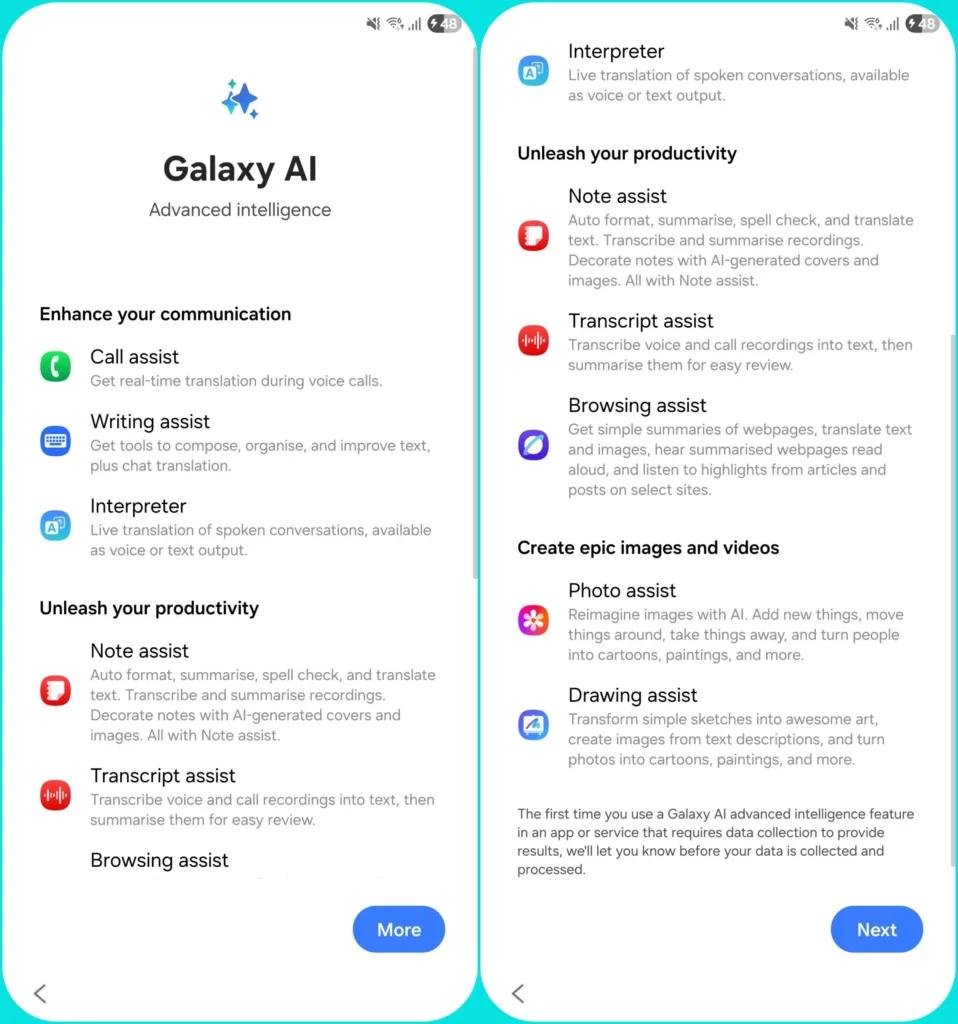
Artificial intelligence continues to be one of Samsung’s biggest priorities. With One UI 9, Galaxy AI becomes more deeply integrated across the operating system instead of feeling like a collection of separate features.
Samsung has confirmed improvements in creative tools, while additional AI experiences are expected to expand throughout the stable release.
For users, that means fewer taps, more personalized suggestions, and workflows that adapt to how they actually use their phones.
RECOMMENDED: What Happened to BlackBerry?
More Creative Tools Built Into Everyday Apps
One of the most noticeable additions arrives in Samsung Notes. Users can now personalize notes with decorative tapes and new pen styles, making note-taking more expressive without relying on third-party apps.
The Contacts app also gains direct access to Creative Studio, allowing users to design customized profile cards without switching between applications.
These aren’t headline-grabbing features, but they reflect Samsung’s growing emphasis on creativity and personalization.
Performance Improvements That Matter
Every major Android update promises better performance. The difference with One UI 9 is that Samsung appears to be focusing on consistency rather than chasing benchmark numbers.
Apps launch more smoothly, animations feel more responsive, and memory management has been refined to reduce slowdowns during heavy multitasking. Android 17 also introduces under-the-hood optimizations that Samsung has built into One UI 9.
For everyday users, this means:
- Faster app switching
- More stable gaming sessions
- Better background memory management
- Improved battery efficiency
- Smoother scrolling throughout the interface
You may not notice these changes immediately, but you’ll likely feel them after using your phone for a few days.
Privacy and Security Get a Major Upgrade
Security has become one of Samsung’s biggest strengths, and One UI 9 builds on that reputation.
Samsung has officially added stronger protection against suspicious and potentially harmful apps.
If the system detects a newly identified high-risk app, it can warn you, block its installation or execution, and recommend removing it through updated security policies.
Combined with Samsung Knox and Android 17’s security enhancements, One UI 9 offers another layer of protection without requiring users to change how they use their phones.
It’s the kind of feature most people hope they’ll never need, but will appreciate when it matters.
Accessibility Improvements Make One UI 9 More Inclusive
Not every software update is about power users.
Samsung has also invested in features that make Galaxy devices easier to use for everyone.
Official additions include:
- Adjustable Mouse Key speed for smoother cursor control.
- A unified TalkBack experience combining Samsung and Google accessibility features.
- Text Spotlight, which enlarges selected text in a floating window to improve readability.
These improvements may not grab headlines, but they can make a meaningful difference for users with visual or motor accessibility needs.
A Redesigned Quick Panel Gives You More Control
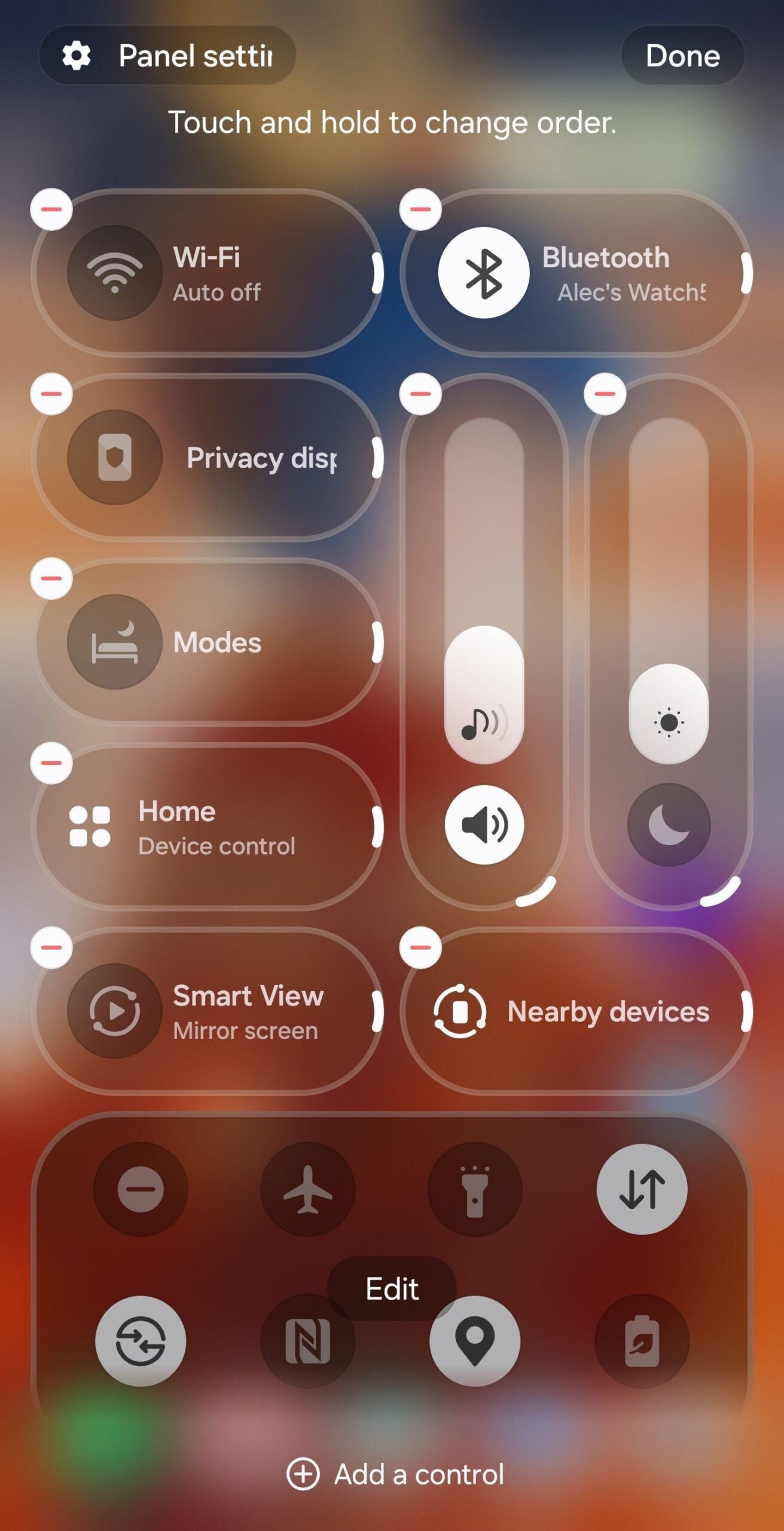
One of the first interface changes you’ll notice is the updated Quick Panel.
Samsung now lets you customize brightness, volume, and media controls independently, while adding more layout options to better match your preferences.
It sounds like a small change.
In practice, it makes everyday interactions quicker because the controls you use most are easier to reach.
This reflects Samsung’s broader philosophy with One UI 9: improve the little things that people use dozens of times every day.
Samsung One UI 9 vs One UI 8: Is the Upgrade Worth It?
If you were expecting a dramatic visual overhaul, One UI 9 may surprise you.
The differences are less about appearance and more about intelligence, refinement, and usability.
| One UI 8 | One UI 9 |
|---|---|
| Built on Android 16 | Built on Android 17 |
| Existing Galaxy AI features | Smarter AI integration and new creative tools |
| Traditional Quick Panel | More customizable Quick Panel |
| Standard accessibility tools | Expanded accessibility features |
| Strong Samsung Knox protection | Enhanced threat detection for risky apps |
| Reliable performance | Better optimization and smoother animations |
For most Galaxy users, One UI 9 won’t feel like learning a new phone.
Instead, it feels like your current Galaxy device has quietly become faster, smarter, and easier to use.
Which Samsung Phones Will Get One UI 9?
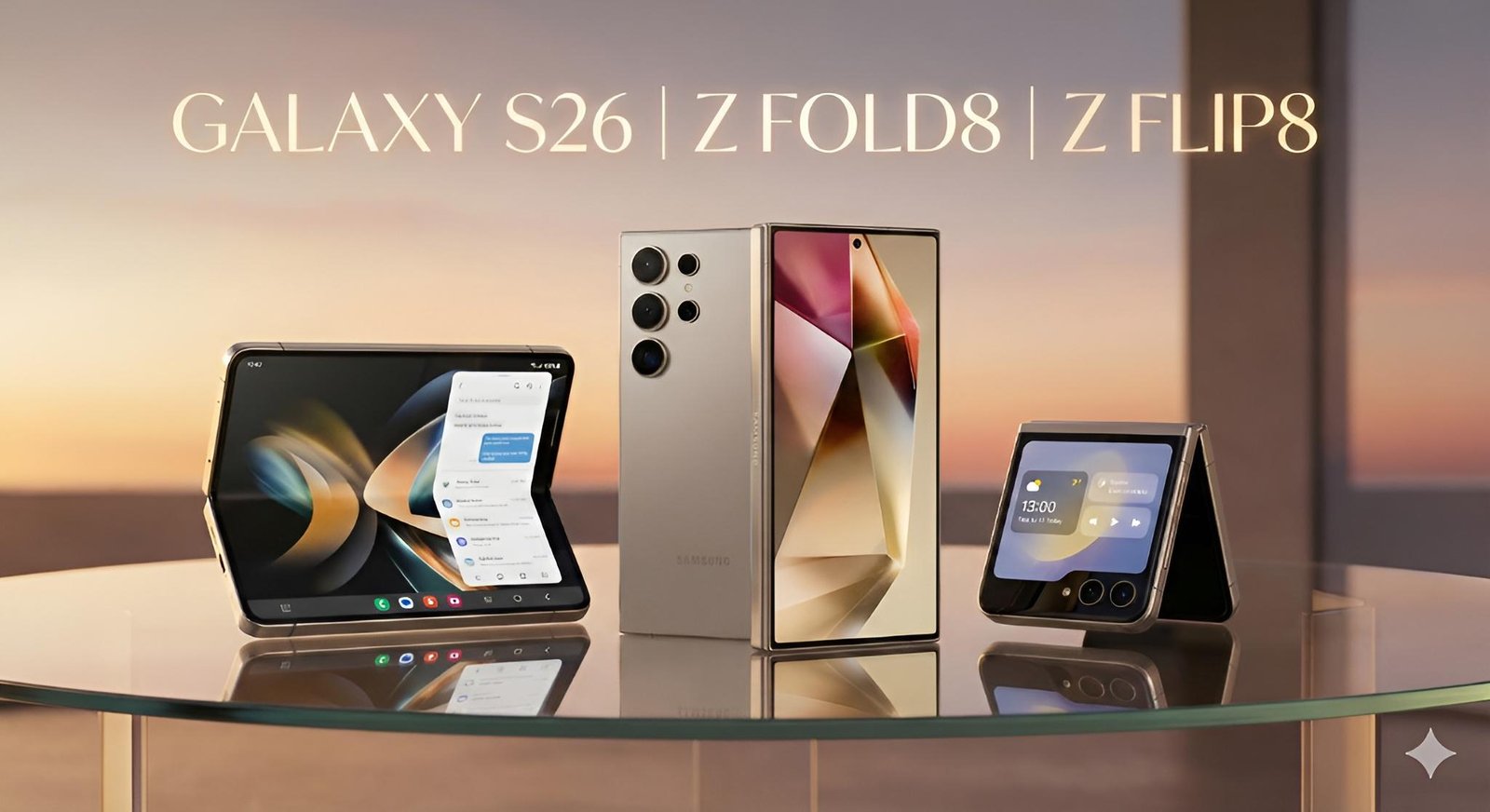
Samsung hasn’t published the complete list of eligible devices yet.
However, based on the company’s software update policy and the devices already included in the beta program, several Galaxy models are expected to receive One UI 9.
Galaxy S Series
The following flagship phones are expected to be eligible:
- Galaxy S26
- Galaxy S26+
- Galaxy S26 Ultra
- Galaxy S25
- Galaxy S25+
- Galaxy S25 Ultra
- Galaxy S24
- Galaxy S24+
- Galaxy S24 Ultra
- Galaxy S24 FE
- Galaxy S23 series (where still covered by Samsung’s update policy)
Galaxy Z Fold and Galaxy Z Flip
Samsung’s foldables are among the first devices to receive major One UI updates.
Expected supported models include:
- Galaxy Z Fold 7
- Galaxy Z Fold 6
- Galaxy Z Fold 5
- Galaxy Z Flip 7
- Galaxy Z Flip 6
- Galaxy Z Flip 5
Galaxy A Series
Samsung has significantly improved software support for its mid-range devices. Many recent Galaxy A phones are also expected to receive One UI 9, including newer A-series models that remain within their update window.
The exact list will vary by region and model.
Galaxy Tablets
Several premium Galaxy Tab S tablets are also expected to receive the update, extending Samsung’s commitment to long-term software support across its ecosystem.
If you’re unsure whether your device qualifies, head to:
Settings → Software update → Download and install
Samsung will publish the final compatibility list as the stable rollout expands.
How to Update to Samsung One UI 9
Once One UI 9 becomes available for your Galaxy device, updating is straightforward.
Before installing:
- Back up important photos, files, and contacts.
- Charge your battery to at least 50%.
- Connect to a reliable Wi-Fi network.
- Ensure you have enough free storage space.
To install the update:
- Open Settings.
- Tap Software update.
- Select Download and install.
- If One UI 9 is available, tap Download.
- Follow the on-screen instructions and allow your phone to restart.
If the update doesn’t appear immediately, don’t panic.
Samsung releases major updates in phases, so availability depends on your country, carrier, and device model.
Is Samsung One UI 9 Worth Upgrading To?
For most eligible Galaxy users, the answer is yes.
One UI 9 isn’t about introducing flashy features for the sake of it.
Instead, Samsung has focused on the areas that affect everyday use: smoother performance, stronger security, more capable Galaxy AI features, improved accessibility, and a more personalized interface.
RECOMMENDED: Apple Intelligence 2.0: What to Expect in 2026
If you already enjoy using your Galaxy phone, One UI 9 aims to make that experience even better without forcing you to relearn the software.
That’s arguably the hallmark of a successful software update.
Conclusion
Samsung One UI 9 is shaping up to be one of the company’s most refined software updates in recent years.
Rather than overhauling the interface, Samsung has concentrated on meaningful improvements that enhance the overall Galaxy experience. From smarter AI and tighter Android 17 integration to stronger security, accessibility upgrades, and smoother performance, the update focuses on making everyday interactions feel more effortless.
While the beta is currently limited to selected devices and regions, the stable rollout is expected to reach more eligible Galaxy smartphones and tablets over time.
If your device is on Samsung’s supported list, One UI 9 is an upgrade worth watching. It builds on the strengths of One UI 8 while delivering thoughtful improvements that should benefit both long-time Galaxy users and those upgrading to newer devices.++-