
Smart homes are no longer a futuristic luxury, they’ve become one of the smartest investments homeowners and renters can make. From turning off lights with a voice command to checking who’s at your front door while you’re miles away, today’s smart home devices are designed to make everyday living safer, easier, and more efficient.
The biggest improvement in 2026 isn’t just smarter gadgets, it’s better compatibility. Thanks to the Matter standard, many of the latest devices now work seamlessly with Google Home, Amazon Alexa, and Apple HomeKit, making it easier than ever to build a connected home without being locked into a single brand.
READ MORE: What Is Anxiety?
“Whether you’re setting up your first smart home or upgrading an existing one, choosing the best smart home devices can be overwhelming.” There are hundreds of options available, but only a handful truly deliver excellent performance, reliable software support, and long-term value.
To help you make the right decision, this guide compares the best smart home devices worth buying in 2026. Each recommendation was selected based on real-world performance, ease of use, compatibility, value for money, and overall user experience.
You’ll also learn what to look for before buying, how to build a smart home on any budget, and which devices are genuinely worth your money.
Quick Picks: Best Smart Home Devices at a Glance
The table below highlights the best smart home devices for different needs and budgets, making it easier to compare your options at a glance.
| Category | Best Pick | Best For |
|---|---|---|
| Best Smart Speaker | Amazon Echo (4th Gen) | Voice control and automation |
| Best Smart Display | Google Nest Hub (2nd Gen) | Smart home dashboard |
| Best Smart Lighting | Philips Hue Starter Kit | Smart lighting |
| Best Smart Thermostat | Google Nest Learning Thermostat | Energy savings |
| Best Smart Door Lock | Yale Assure Lock 2 | Keyless home access |
| Best Video Doorbell | Ring Battery Doorbell Pro | Front-door security |
| Best Indoor Camera | Google Nest Cam (Indoor) | Indoor monitoring |
| Best Outdoor Camera | Arlo Pro 5S | Outdoor surveillance |
| Best Robot Vacuum | Roborock Q Revo | Hands-free cleaning |
| Best Smart Plug | Kasa Smart Plug Mini | Budget automation |
| Best Smart Air Purifier | Dyson Purifier Cool TP10 | Cleaner indoor air |
| Best Smart Smoke Detector | Google Nest Protect | Fire and CO detection |
| Best Garage Door Opener | Chamberlain myQ | Remote garage access |
| Best Water Leak Detector | Govee Water Leak Detector | Leak prevention |
| Best Smart Blinds | SwitchBot Blind Tilt | Automated window coverings |
How We Chose the Best Smart Home Devices
“Finding the best smart home devices requires looking beyond flashy features. “Every product on this list earned its place among the best smart home devices after comparing performance, compatibility, long-term software support, and overall value.
Not every smart home gadget deserves a place in your home. Some offer meaningful convenience and long-term reliability, while others are little more than expensive novelties.
For this guide, we compared dozens of the latest smart home products from trusted brands, taking into account expert reviews, long-term software support, ecosystem compatibility, customer feedback, and overall value for money.
Devices were evaluated based on:
- Compatibility with Matter, Google Home, Amazon Alexa, and Apple HomeKit
- Ease of setup and daily use
- Smart automation features
- Privacy and security
- Reliability and software updates
- Price-to-performance ratio
- Overall user experience
Rather than simply recommending the newest products, we’ve focused on devices that consistently perform well in real-world use and are built to remain reliable for years to come.
What to Consider Before Buying Smart Home Devices
Choosing the best smart home devices starts with selecting products that fit your ecosystem and budget. Buying smart home devices isn’t just about choosing the newest gadget.
The best setup is one where every device works together seamlessly, fits your lifestyle, and offers real value over time. Before adding anything to your cart, consider these five factors.
Taking these factors into account will help you choose the best smart home devices for your home.”
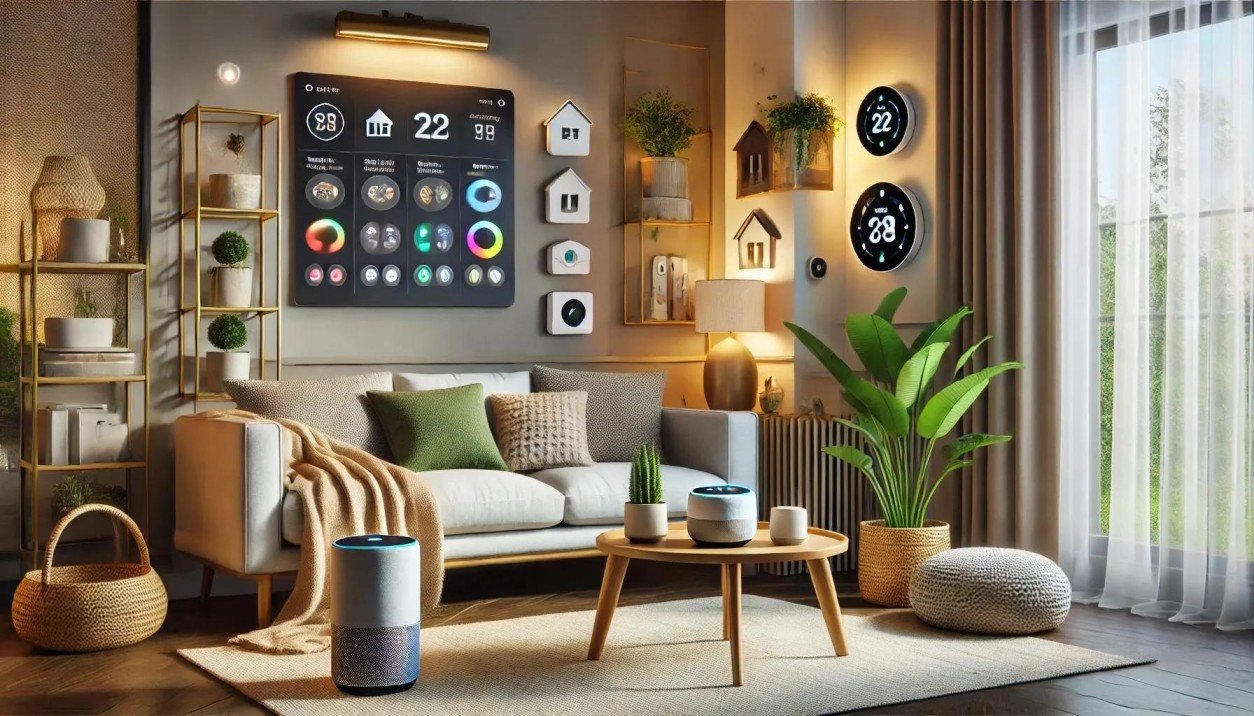
2. Google Nest Hub (2nd Gen) – Best Smart Display
If the Amazon Echo is the voice of your smart home, the Google Nest Hub is its command center.
Instead of opening different apps to control your lights, cameras, thermostat, or speakers, the Nest Hub brings everything together on one intuitive touchscreen. Whether you’re checking who’s at the front door, adjusting the room temperature, or turning off the lights before bed, everything is just a tap or voice command away.
Its 7-inch display is bright enough to read recipes in the kitchen, follow workout videos, or view your daily calendar. The interface is clean, responsive, and easy to navigate, making it suitable even for users who are new to smart home technology.
One standout feature is Sleep Sensing, which tracks your sleeping patterns without requiring a wearable device. While it’s not intended for medical use, it provides useful insights that can help you improve your sleep routine.
The Nest Hub also doubles as a digital photo frame, media controller, and entertainment hub. You can stream YouTube videos, cast content from your phone, or display your favorite Google Photos album when it’s idle.
Unlike many smart displays, Google chose not to include a built-in camera. While this means you can’t make video calls directly from the device, many users appreciate the added privacy.
Key Features
- 7-inch touchscreen display
- Google Assistant built-in
- Sleep Sensing technology
- Chromecast support
- Smart home dashboard
- Matter compatibility
Pros
- Easy-to-use interface
- Excellent smart home controls
- Strong Google ecosystem integration
- Privacy-friendly design
- Great value for the price
Cons
- No camera for video calls
- Speaker quality is good but not exceptional
Best for: Google Home users who want a central dashboard to manage their connected home.
Best alternative: Amazon Echo Show 8.
Bottom line: The Google Nest Hub is one of the easiest ways to control multiple smart devices from a single screen while adding useful features like sleep tracking and hands-free Google Assistant.
3. Philips Hue White & Color Ambiance Starter Kit – Best Smart Lighting
Lighting is often the first upgrade people make when building a smart home, and for good reason.
Smart lighting is affordable, easy to install, and immediately changes how your home feels. Among all the available options, Philips Hue continues to set the standard thanks to its reliability, color accuracy, and extensive automation features.
The starter kit includes smart LED bulbs that can display millions of colors as well as different shades of white, from warm candlelight to bright daylight. Whether you’re creating a cozy movie-night atmosphere or brightening your workspace, the Hue app makes it easy to customize every room.
Automation is where Philips Hue truly shines. You can schedule lights to turn on before you wake up, switch off automatically when you leave the house, or gradually dim before bedtime. Combined with motion sensors or voice assistants, the experience feels almost effortless.
Another major advantage is compatibility. Philips Hue works with Matter, Amazon Alexa, Google Home, Apple HomeKit, Samsung SmartThings, and several other smart home platforms, making it one of the most flexible lighting systems available.
Although it’s more expensive than many competitors, its reliability and ecosystem support make it a worthwhile long-term investment.
Key Features
- 16 million color options
- Adjustable white lighting
- Voice control
- Automation and schedules
- Matter compatibility
- Energy-efficient LED technology
Pros
- Exceptional brightness and color quality
- Reliable connectivity
- Excellent mobile app
- Huge accessory ecosystem
- Long bulb lifespan
Cons
- More expensive than budget alternatives
- Hue Bridge required for some advanced features
Best for: Homeowners looking for premium smart lighting with advanced automation.
Best alternative: Govee Smart Bulbs for budget-conscious buyers.
Bottom line: Philips Hue remains the gold standard for smart lighting thanks to its unmatched reliability, vibrant colors, and broad ecosystem support.
4. Google Nest Learning Thermostat (4th Gen) – Best Smart Thermostat
Heating and cooling account for a large portion of the average household’s energy bill. A smart thermostat helps reduce those costs without sacrificing comfort.
The Google Nest Learning Thermostat does exactly what its name suggests, it learns your daily routine and automatically adjusts the temperature based on your habits.
After a short learning period, it begins creating personalized schedules on its own. If you usually leave for work at 8 a.m., it lowers the temperature after you leave. When you’re heading home, it starts heating or cooling your house before you arrive.
The result is a home that’s comfortable when you need it and energy-efficient when you don’t.
Another standout feature is remote control. Using the Google Home app, you can adjust your home’s temperature from virtually anywhere, whether you’re on vacation or simply relaxing upstairs.
The thermostat also generates energy reports that show how much power you’ve saved over time, helping you understand your usage and identify opportunities to cut costs even further.
Its sleek design blends naturally into modern homes, replacing traditional thermostats with a clean, minimalist display.
Key Features
- Learns your daily routine
- Automatic scheduling
- Remote temperature control
- Energy usage reports
- Home and Away modes
- Google Home integration
Pros
- Can significantly reduce energy costs
- Intelligent automation
- Attractive modern design
- Easy smartphone controls
- Reliable performance
Cons
- Higher upfront cost
- Installation may require professional assistance in some homes
Best for: Homeowners who want to improve comfort while lowering heating and cooling costs.
Best alternative: Ecobee Smart Thermostat Premium.
Bottom line: The Nest Learning Thermostat remains one of the smartest investments for homeowners thanks to its ability to automate climate control while helping reduce monthly energy bills.
5. Yale Assure Lock 2 – Best Smart Door Lock
Carrying keys is becoming less necessary as smart locks continue to improve, and the Yale Assure Lock 2 is one of the best examples of why.
This smart door lock lets you unlock your front door using your smartphone, a keypad, voice commands, or traditional keys, depending on the model you choose. Whether you’re letting in a family member, cleaner, or Airbnb guest, you can grant temporary access without handing over a physical key.
One of its biggest advantages is flexibility. The lock supports Matter (with the appropriate module), allowing it to work with Amazon Alexa, Google Home, Apple HomeKit, and Samsung SmartThings. That means it fits comfortably into almost any smart home ecosystem.
The Yale Access app also lets you monitor lock activity, receive notifications whenever someone enters or leaves, and create unique access codes for different users. These features are especially useful for families or anyone managing short-term rental properties.
Auto-lock and auto-unlock functions add another layer of convenience. The lock can automatically secure your door after you leave or unlock as you approach, so you never have to fumble for your keys.
While it runs on batteries that need occasional replacement, battery life is generally excellent, and you’ll receive alerts well before power runs low.
Key Features
- Keypad and smartphone access
- Matter compatibility
- Temporary guest codes
- Auto-lock and auto-unlock
- Activity history
- Multiple finish options
Pros
- Excellent build quality
- Strong security features
- Works with major smart home platforms
- Easy guest access management
- Reliable mobile app
Cons
- Batteries require periodic replacement
- Some integrations require additional modules
Best for: Homeowners, families, and Airbnb hosts who want secure, keyless access.
Best alternative: Schlage Encode Plus.
Bottom line: The Yale Assure Lock 2 combines strong security, flexible access options, and broad smart home compatibility, making it one of the best smart locks you can buy in 2026.
6. Ring Battery Doorbell Pro – Best Video Doorbell
A video doorbell is one of those smart home devices you don’t fully appreciate until you start using it.
Whether you’re expecting a package, away on vacation, or simply relaxing upstairs, being able to see and speak to whoever is at your front door adds both convenience and peace of mind.
The Ring Battery Doorbell Pro stands out with its crisp 1536p HD video, head-to-toe viewing angle, and advanced motion detection. Unlike older doorbells that only captured part of the scene, this model lets you see visitors from head to toe, making it easier to monitor package deliveries left on your doorstep.
Motion detection is highly customizable. You can define specific activity zones to reduce unnecessary alerts caused by passing cars or pedestrians. When someone approaches your home, you’ll receive an instant notification on your smartphone, allowing you to view a live feed and communicate through the built-in speaker and microphone.
Installation is straightforward since the battery-powered design eliminates the need for complicated wiring in most homes. If you prefer, it can also be connected to existing doorbell wiring for continuous power.
Keep in mind that while the camera works without a subscription, features like cloud video history and person detection require a Ring Protect plan.
Key Features
- 1536p HD video resolution
- Head-to-toe viewing
- Two-way audio
- Advanced motion detection
- Color night vision
- Battery or wired installation
Pros
- Excellent video quality
- Accurate motion alerts
- Easy DIY installation
- Wide ecosystem support
- Reliable mobile app
Cons
- Subscription required for cloud recording
- Battery requires periodic charging if not wired
Best for: Homeowners who want better front-door security and package monitoring.
Best alternative: Google Nest Doorbell (Battery).
Bottom line: The Ring Battery Doorbell Pro offers one of the best combinations of image quality, smart alerts, and ease of installation, making it a worthwhile investment for most homes.
7. Google Nest Cam (Indoor) – Best Indoor Smart Security Camera
Keeping an eye on your home while you’re away has never been easier. The Google Nest Cam (Indoor) uses artificial intelligence to distinguish between people, pets, and vehicles, helping reduce the false notifications that often plague cheaper security cameras.
Video quality is sharp enough to recognize faces and monitor activity clearly, even in challenging lighting conditions. HDR technology helps preserve detail in bright windows and darker corners, while night vision ensures the camera remains effective after sunset.
Another advantage is how seamlessly it integrates with the Google Home app. Live video, event history, and smart notifications are all accessible from one dashboard, making daily monitoring simple.
Privacy is also well handled. The camera includes built-in privacy controls, allowing you to disable recording or the microphone whenever needed.
Although some advanced recording features require a Nest Aware subscription, the free functionality is more generous than many competing cameras.
Key Features
- 1080p HDR video
- Intelligent person, pet, and vehicle detection
- Night vision
- Live streaming
- Google Home integration
- Two-way audio
Pros
- Clear video quality
- Excellent AI-powered alerts
- Reliable Google Home integration
- Easy setup
- Strong privacy controls
Cons
- Full video history requires Nest Aware
- Best suited for Google Home users
Best for: Monitoring children, pets, elderly relatives, or indoor activity.
Best alternative: TP-Link Tapo C225.
Bottom line: If you’re invested in the Google ecosystem, the Nest Cam remains one of the smartest indoor security cameras available.
8. Arlo Pro 5S – Best Outdoor Smart Security Camera
Outdoor security cameras face tougher conditions than indoor models, so durability matters just as much as image quality. The Arlo Pro 5S excels in both.
Designed to withstand rain, heat, cold, and dust, it’s built for year-round outdoor use without compromising performance. Its 2K HDR resolution delivers significantly sharper footage than standard 1080p cameras, making it easier to identify faces, license plates, and other important details.
At night, color night vision provides more useful footage than traditional black-and-white infrared cameras, especially when the integrated spotlight is activated.
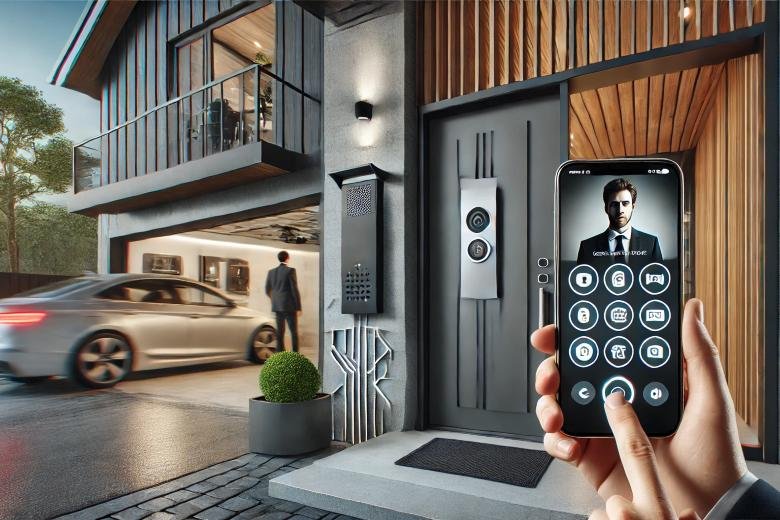
Smart notifications can distinguish between people, vehicles, animals, and packages, helping reduce unnecessary alerts. Battery life is impressive as well, lasting several months depending on usage. Since the camera is wire-free, installation takes only a few minutes without needing professional assistance.
Key Features
- 2K HDR video
- Color night vision
- Integrated spotlight
- Weather-resistant design
- AI-powered motion detection
- Wire-free installation
Pros
- Outstanding video quality
- Long battery life
- Excellent weather resistance
- Accurate motion detection
- Wide viewing angle
Cons
- Subscription unlocks advanced AI features
- Premium price
Best for: Monitoring driveways, gardens, backyards, and entrances.
Best alternative: EufyCam S330.
Bottom line: The Arlo Pro 5S delivers premium outdoor security with excellent image quality, intelligent detection, and dependable performance in almost any weather.
9. Roborock Q Revo – Best Robot Vacuum
Cleaning is one of the most time-consuming household chores, which explains why robot vacuums have become one of the fastest-growing categories in smart home technology.
The Roborock Q Revo is more than just a vacuum. It also mops, automatically empties its dustbin, washes its mop pads, and intelligently maps your home to clean efficiently with minimal supervision.
Using LiDAR navigation, it creates highly accurate floor maps and plans efficient cleaning routes while avoiding obstacles like furniture, shoes, and pet bowls.
The companion app allows you to schedule cleanings, create no-go zones, customize suction levels, and even assign different cleaning modes to specific rooms.
Performance on both carpets and hard floors is excellent, with powerful suction that easily handles pet hair, dust, crumbs, and everyday debris.
Its self-maintaining docking station is one of its biggest advantages. Instead of emptying the vacuum after every cleaning session, the dock automatically handles much of the maintenance, saving you even more time.
While it’s one of the more expensive robot vacuums on the market, its convenience and performance make it a worthwhile investment for busy households.
Key Features
- Vacuum and mop functionality
- LiDAR smart navigation
- Self-emptying dock
- Automatic mop washing
- Smart room mapping
- Scheduled cleaning
Pros
- Exceptional cleaning performance
- Accurate navigation
- Minimal maintenance
- Excellent app controls
- Quiet operation
Cons
- Premium pricing
- Dock requires additional floor space
Best for: Busy professionals, families, and pet owners who want hands-free floor cleaning.
Best alternative: iRobot Roomba Combo j9+.
Bottom line: The Roborock Q Revo is one of the most capable robot vacuums available in 2026, combining intelligent navigation, powerful cleaning, and impressive automation into a single device.
Not all of the best smart home devices are expensive. Affordable options like smart plugs can deliver impressive convenience.
10. Kasa Smart Plug Mini (EP25) – Best Smart Plug
If you’re new to smart home technology, a smart plug is one of the simplest upgrades you can make.
Instead of replacing your existing appliances, a smart plug adds intelligence to them. Simply plug it into a wall outlet, connect it to your Wi-Fi network, and you can control anything plugged into it—from lamps and coffee makers to fans and holiday lights—using your smartphone or voice assistant.
The Kasa Smart Plug Mini (EP25) stands out because it offers reliable performance at an affordable price. Unlike some budget smart plugs, it supports Matter, making it compatible with Google Home, Amazon Alexa, Apple HomeKit (via Matter), and other major smart home ecosystems.
One of its most useful features is energy monitoring. Through the Kasa app, you can track how much electricity connected devices consume. This makes it easier to identify energy-hungry appliances and reduce unnecessary power usage, potentially lowering your electricity bill over time.
READ MORE: How to Eat Healthy on a Budget in Nigeria: 10 Simple Tips
Automation is equally straightforward. You can schedule lights to turn on before you arrive home, switch off appliances at bedtime, or create routines that work alongside your other smart home devices.
Since the plug doesn’t require a separate hub, setup typically takes less than five minutes, making it an excellent choice for beginners.
Key Features
- Matter compatibility
- Wi-Fi connectivity (no hub required)
- Energy monitoring
- Scheduling and timers
- Voice control
- Compact design
Pros
- Affordable price
- Easy installation
- Reliable app
- Tracks energy usage
- Works across multiple ecosystems
Cons
- Not suitable for high-power appliances
- Depends on a stable Wi-Fi connection
Best for: First-time smart home users looking for an affordable way to automate everyday appliances.
Best alternative: Amazon Smart Plug.
Bottom line: The Kasa Smart Plug Mini offers excellent value, making it one of the easiest and most practical ways to begin building a smart home.
11. Dyson Purifier Cool TP10 – Best Smart Air Purifier
Indoor air quality often goes unnoticed until allergies, dust, or seasonal pollution become a problem.
The Dyson Purifier Cool TP10 helps address this by continuously monitoring the air in your home and automatically adjusting its purification level whenever pollutants are detected.
Equipped with a fully sealed HEPA H13 filtration system, it captures fine dust, pollen, pet dander, smoke, and other airborne particles that can affect indoor air quality. At the same time, it functions as a cooling fan, making it useful throughout the year.
The Dyson app provides real-time air quality reports, allowing you to monitor pollutant levels from anywhere. Voice assistant support also lets you control the purifier using Google Assistant or Amazon Alexa without lifting a finger.
Although replacement filters add to the long-term cost, the purifier’s performance, intelligent automation, and sleek design justify the investment for many households.
If you have pets, allergies, or simply want cleaner indoor air, this is one of the best smart air purifiers available in 2026.
Key Features
- HEPA H13 filtration
- Real-time air quality monitoring
- Smart app controls
- Voice assistant compatibility
- Cooling fan function
- Automatic purification mode
Pros
- Excellent filtration performance
- Quiet operation
- Detailed air quality insights
- Modern design
- Easy app controls
Cons
- Expensive compared to basic purifiers
- Replacement filters increase ongoing costs
Best for: Homes with pets, allergy sufferers, and anyone looking to improve indoor air quality.
Best alternative: Levoit Core 600S.
Bottom line: The Dyson Purifier Cool TP10 combines premium air purification with intelligent automation, making it a strong choice for healthier indoor living.
12. Google Nest Protect – Best Smart Smoke and Carbon Monoxide Detector
Traditional smoke detectors sound an alarm and leave you guessing what triggered it. The Google Nest Protect takes a much smarter approach.
Instead of simply beeping, it sends instant notifications to your smartphone, tells you whether the issue is smoke or carbon monoxide, and even identifies which room needs attention.
This additional context can make a huge difference during an emergency.
Another standout feature is its self-testing capability. The Nest Protect regularly checks its sensors, batteries, and speaker to ensure everything is functioning correctly, reducing the likelihood of unexpected failures.
The Pathlight feature is another thoughtful addition. When it detects movement at night, it softly illuminates your path without needing to switch on bright overhead lights.
Integration with the Google Home ecosystem allows the detector to work alongside compatible smart home devices. For example, if smoke is detected, smart lights can automatically turn on to help occupants evacuate safely.
While it costs more than a conventional smoke detector, the added intelligence and remote monitoring provide valuable peace of mind.
Key Features
- Smoke and carbon monoxide detection
- Smartphone alerts
- Voice notifications
- Automatic self-testing
- Night Pathlight
- Google Home integration
Pros
- More informative than traditional alarms
- Remote monitoring
- Reliable safety features
- Easy installation
- Self-testing sensors
Cons
- Higher price than standard smoke detectors
- Best experience for Google Home users
Best for: Families looking to upgrade their home’s fire and carbon monoxide protection.
Best alternative: First Alert Onelink Safe & Sound.
Bottom line: The Nest Protect transforms an ordinary smoke alarm into an intelligent safety system that keeps you informed wherever you are.
13. Chamberlain myQ Smart Garage Control – Best Smart Garage Door Opener
For many homeowners, the garage is one of the busiest entry points into the house. Yet it’s surprisingly easy to forget whether the garage door was left open after rushing out.
The Chamberlain myQ Smart Garage Control solves that problem by giving you complete control of your garage door from your smartphone.
Using the myQ app, you can check the door’s status, open or close it remotely, and receive notifications whenever it’s operated. This is particularly useful if family members arrive home while you’re away or if you need to let a delivery driver access your garage.
Installation is simple and usually takes less than an hour, provided your existing garage door opener is compatible. Once connected, the system operates reliably over Wi-Fi without requiring complicated wiring.
The myQ platform also integrates with several smart home services, allowing you to include your garage door in automation routines.
For example, you can receive reminders if the garage remains open for a certain period or automatically close it at bedtime.
Key Features
- Remote garage door control
- Real-time status notifications
- Activity history
- Scheduled closing
- Smartphone app
- Wi-Fi connectivity
Pros
- Easy DIY installation
- Reliable operation
- Improves home security
- Convenient remote access
- Affordable upgrade
Cons
- Some third-party integrations require subscriptions
- Compatibility should be checked before purchase
Best for: Homeowners who want greater convenience and peace of mind when managing their garage door.
Best alternative: Tailwind iQ3 Smart Garage Controller.
Bottom line: The Chamberlain myQ Smart Garage Control is an inexpensive upgrade that delivers everyday convenience while helping improve home security.
14. Govee Water Leak Detector – Best Smart Water Leak Detector
Water damage is one of the most expensive home repairs, yet it often starts with a slow leak that’s easy to miss.
A burst pipe under the sink or a leaking washing machine hose can cause thousands of dollars in damage before you even notice there’s a problem. That’s why a smart water leak detector is one of the most underrated smart home devices you can buy.
The Govee Water Leak Detector continuously monitors areas prone to leaks, such as kitchens, bathrooms, laundry rooms, basements, and water heaters. The moment it detects water, it triggers a loud local alarm while simultaneously sending an alert to your smartphone through the Govee Home app (when paired with the gateway).
Its compact size makes placement easy, and because the sensors are battery-powered, installation takes just a few minutes without drilling or wiring. Battery life is another strong point. Under normal use, the batteries can last well over a year, and the app will notify you when they’re running low.
For homeowners who want even greater protection, multiple sensors can be connected to the same hub, allowing you to monitor several rooms at once.
Although it doesn’t automatically shut off your home’s water supply like some premium leak detection systems, its fast notifications can still help prevent costly damage by allowing you to respond quickly.
Key Features
- Instant water leak detection
- Smartphone notifications
- Loud 100 dB alarm
- Long battery life
- Supports multiple sensors
- Simple wireless installation
Pros
- Affordable price
- Easy to install
- Reliable alerts
- Expandable system
- Excellent value
Cons
- Requires a gateway for remote notifications
- Doesn’t automatically shut off the water supply
Best for: Homeowners who want early warning of leaks in kitchens, bathrooms, basements, or laundry rooms.
Best alternative: Aqara Water Leak Sensor.
Bottom line: The Govee Water Leak Detector is an inexpensive investment that can help prevent one of the costliest types of home damage.
Some of the best smart home devices focus on comfort rather than security, and smart blinds are a perfect example.
15. SwitchBot Blind Tilt – Best Smart Blinds
Natural light plays a bigger role in home comfort than many people realize. With smart blinds, you can automate when sunlight enters your home, helping improve privacy, reduce glare, and even lower cooling costs during hot afternoons.
The SwitchBot Blind Tilt offers one of the easiest ways to automate existing horizontal blinds without replacing the entire window covering. Instead of installing completely new smart blinds, this device attaches directly to your existing blind wand and rotates it automatically.
Installation is surprisingly straightforward, making it a practical option for renters and homeowners alike.
Once connected to the SwitchBot Hub, you can create schedules that open your blinds every morning, close them at sunset, or adjust throughout the day based on your routines.
The optional solar panel accessory helps keep the device charged with minimal maintenance, making it even more convenient for long-term use.
With Matter support available through the SwitchBot Hub, the Blind Tilt integrates with Google Home, Amazon Alexa, Apple HomeKit, and other compatible smart home ecosystems.
It’s a small upgrade, but one that adds a surprising amount of comfort and automation to your daily routine.
Key Features
- Automates existing blinds
- Matter compatibility (via SwitchBot Hub)
- Voice control
- Smart schedules
- Optional solar charging
- Easy installation
Pros
- No need to replace existing blinds
- Simple DIY setup
- Quiet operation
- Improves comfort and privacy
- Energy-efficient design
Cons
- Hub required for advanced automation
- Compatible only with certain blind styles
Best for: Homeowners and renters who want automated window coverings without replacing their existing blinds.
Best alternative: IKEA FYRTUR Smart Blinds.
Bottom line: The SwitchBot Blind Tilt is one of the easiest and most affordable ways to automate your home’s window coverings while improving comfort and energy efficiency.
How to Build a Smart Home on Any Budget
One of the best things about today’s best smart home devices is that you don’t have to buy everything at once, and one of the biggest misconceptions about smart homes is that you need to spend thousands of dollars to enjoy the benefits.
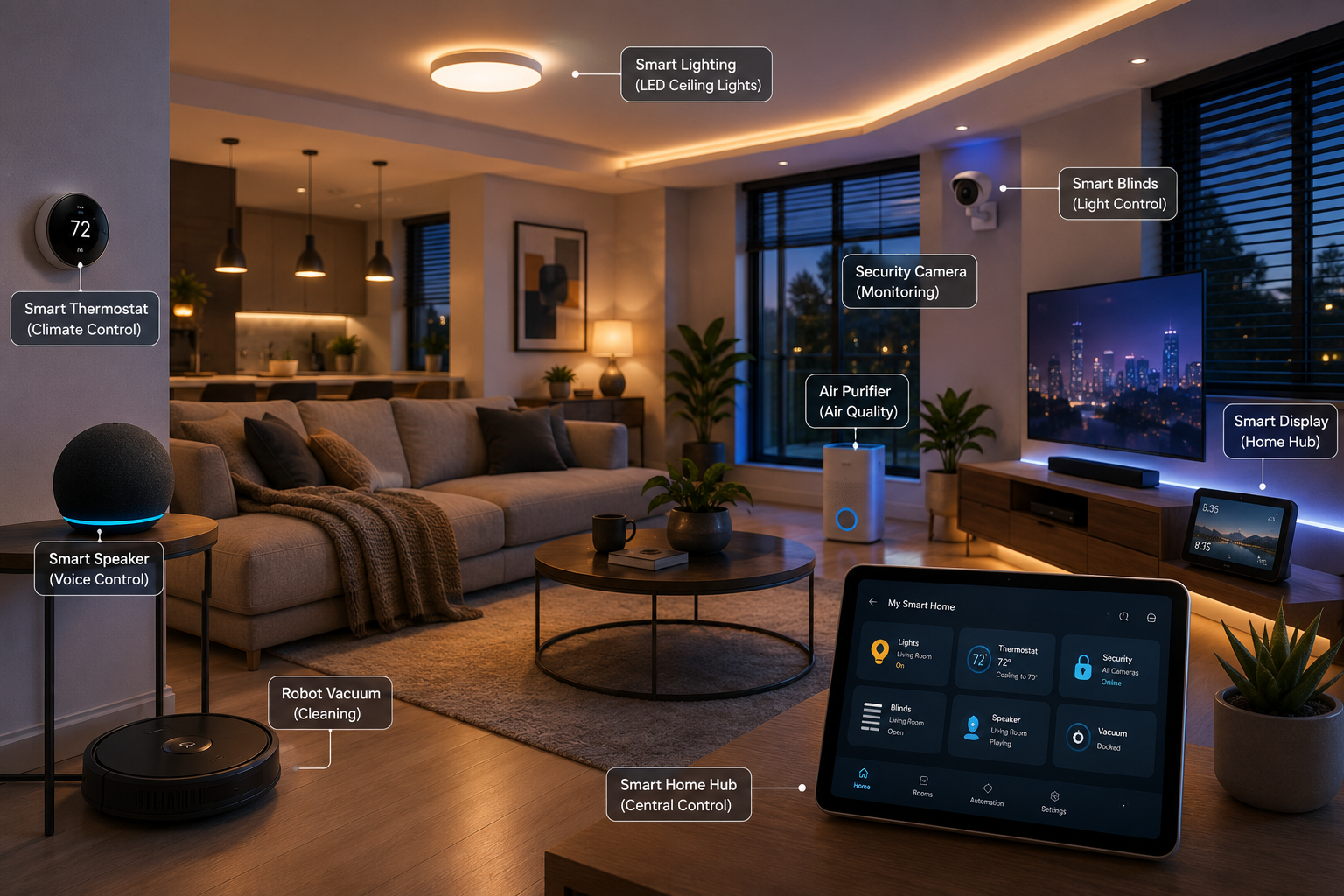
In reality, you can build a reliable smart home gradually. Starting small allows you to learn what works best for your lifestyle while avoiding unnecessary purchases.
Best Smart Home Setup Under $100
If you’re just getting started, focus on devices that provide the biggest improvement for the lowest cost.
A great starter setup includes:
- Amazon Echo Pop or Google Nest Mini
- Two smart LED bulbs
- Kasa Smart Plug Mini
This combination gives you voice control, lighting automation, and remote control of everyday appliances without stretching your budget.
Best Smart Home Setup Between $100 and $300
With a slightly larger budget, you can start adding convenience and security.
Consider combining:
- Amazon Echo (4th Gen)
- Philips Hue Starter Kit
- Ring Battery Doorbell Pro or Google Nest Cam (Indoor)
This setup gives you a connected lighting system, voice assistant, and remote home monitoring.
Premium Smart Home Setup
“Combining the best smart home devices into one ecosystem creates a seamless smart home experience.” If your goal is a fully automated home, investing in premium devices creates a seamless experience.
When these best smart home devices work together, they create a seamless, fully automated home experience.
A complete setup could include:
- Amazon Echo (4th Gen)
- Google Nest Hub (2nd Gen)
- Philips Hue lighting throughout the home
- Google Nest Learning Thermostat
- Yale Assure Lock 2
- Ring Battery Doorbell Pro
- Arlo Pro 5S outdoor cameras
- Google Nest Cam indoors
- Roborock Q Revo
- Dyson Purifier Cool TP10
- Chamberlain myQ
- Govee Water Leak Detectors
- Google Nest Protect
- SwitchBot Blind Tilt
By choosing Matter-compatible products wherever possible, you’ll have a flexible system that’s easier to expand in the future.
Are Smart Home Devices Worth Buying in 2026?
For most households, the best smart home devices are absolutely worth the investment.
For most households, the answer is yes. Today’s smart home technology is more reliable, secure, and compatible than ever before. Features that once felt futuristic, like voice-controlled lighting, automated cleaning, and remote home monitoring—are now practical tools that save time and simplify daily life.
Some of the biggest benefits include:
- Greater convenience through automation and voice control
- Enhanced home security with real-time alerts and remote monitoring
- Lower energy consumption with smart thermostats and lighting
- Better accessibility for older adults and people with mobility challenges
- Increased peace of mind when you’re away from home
However, there are a few trade-offs to keep in mind. Many devices rely on a stable Wi-Fi connection, and some manufacturers charge subscription fees for premium features like cloud video storage or advanced AI detection.
Privacy is another important consideration. Choosing reputable brands, enabling two-factor authentication, and regularly updating device firmware can significantly reduce security risks.
Overall, the convenience, energy savings, and improved home security make smart home devices a worthwhile investment for most people.
READ MORE: What Is A Zero-click Attack?
Conclusion
The best smart home devices in 2026 are more than just impressive gadgets, they’re practical tools that make everyday living easier, safer, and more efficient. Whether you’re starting with a simple smart speaker and a few smart plugs or building a fully automated home with intelligent lighting, security cameras, robot vacuums, and smart thermostats, the right devices can transform the way you interact with your home.
The key is to choose products that fit your needs, work well with your preferred smart home ecosystem, and offer long-term software support. Prioritizing Matter-compatible devices will also give you more flexibility as your smart home grows.
Start with the essentials, expand at your own pace, and invest in the best smart home devices that genuinely improve your daily life. With the recommendations in this guide, you’ll be well on your way to building a connected home that’s ready for both today’s needs and tomorrow’s innovations.
Whether you’re a beginner or an experienced user, investing in the best smart home devices will help future-proof your connected home.